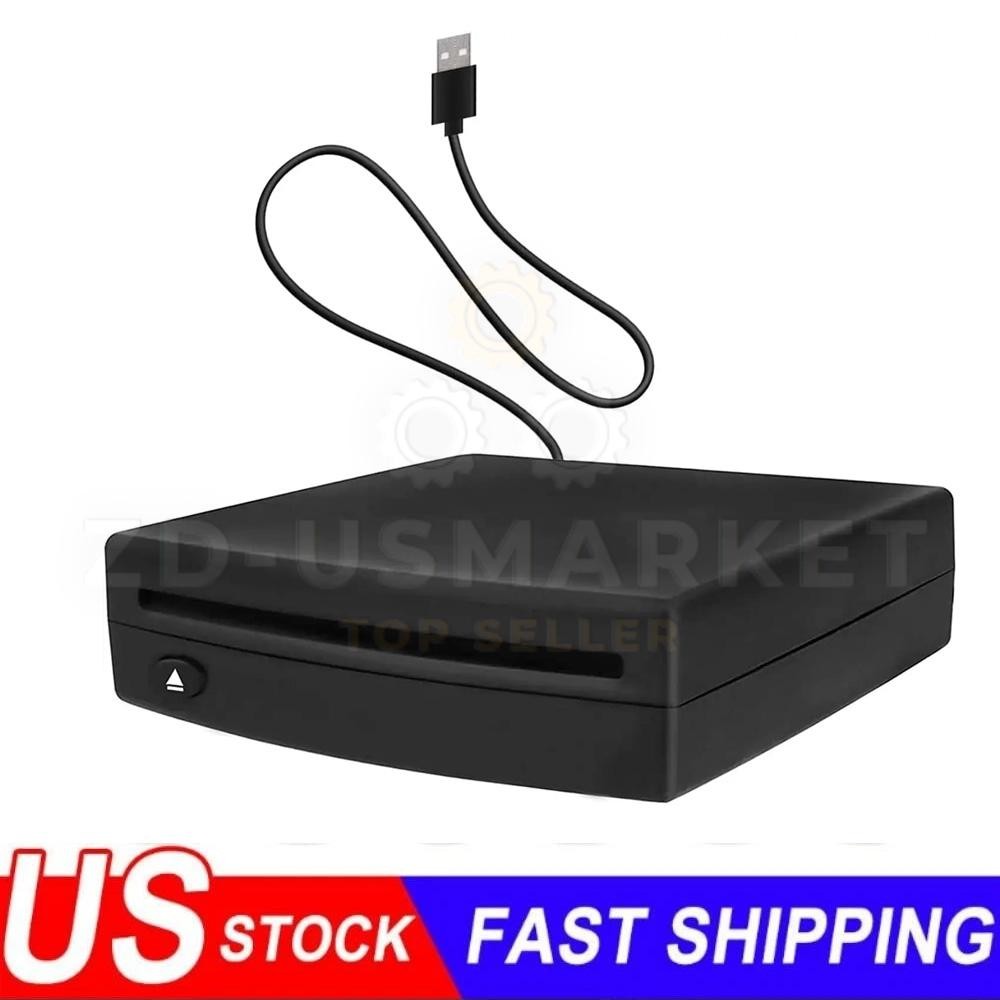

Photos from current listings. Actual item, color, and included accessories may vary.
External CD Player Car Buying Guide
An external CD player for car is a USB or auxiliary-connected optical drive that lets you play physical CDs through a factory or aftermarket head unit lacking a built-in slot. The core trade-off is between basic USB mass-storage drives that rely on the radio's own CD-reading firmware and self-powered units with dedicated decoding chips and control buttons. The decision rule: buy a self-powered player with dedicated playback controls and confirmed USB-audio or aux output if your radio does not natively read USB CD drives; skip bare USB optical drives unless your head unit explicitly supports USB CD-ROM class devices.


At a glance
- Category
- Car Electronics
- Data updated
- Nov 16, 2026
Current offers
Highlights
- USB CD-ROM class devices require a head unit that explicitly supports USB optical drives; most factory radios only read USB flash storage, not CD-ROM class devices.
- Self-powered external car CD players include their own decoding chip and 3.5mm aux or FM transmitter output, bypassing the radio's firmware limitations entirely.
- Slot-load mechanisms resist vibration better than tray-load designs in vehicle environments; tray-load players skip and scratch discs on rough roads.
- FM-transmitter models broadcast to an unused FM frequency and work with any radio, but introduce static in dense urban areas; direct aux-in models deliver cleaner audio.
Best use cases
- Best fit: a self-powered player with 3.5mm aux output for cars with an aux jack but no CD slot and no USB CD support — plug into aux, power from 12V socket, play immediately.
- Best fit: an FM-transmitter CD player for older vehicles with neither aux nor USB input — tune both radio and player to a clear frequency; skip in cities with crowded FM bands.
- Wrong fit: a bare USB optical drive for a factory head unit unless the manual explicitly lists USB CD-ROM support — most will not recognize it and the purchase is wasted.
- Wrong fit: a tray-load desktop-style drive mounted on a dash — vibration causes skipping; choose slot-load or a unit with anti-skip buffering for in-motion use.
Buying tips
- Confirm your head unit's USB spec: only radios rated for USB CD-ROM or USB optical drive class will read a bare external drive; otherwise choose a self-decoding player with aux or FM output.
- Match the output to your car's inputs: 3.5mm aux gives the cleanest sound, FM transmission is universal but prone to interference, and Bluetooth-output players add a pairing step but avoid cables.
- Check power draw: bus-powered USB drives draw up to 500mA from the radio's USB port, which many head units cannot supply; self-powered units with a 12V adapter are more reliable.
- Prefer slot-load with anti-skip buffer (typically 10–45 seconds) over tray-load for vehicle use; tray mechanisms are fragile and skip on potholes.
Specs
| Drive Type | Slot-load vs tray-load |
|---|---|
| Output | 3.5mm aux / FM / Bluetooth |
| Power Source | 12V adapter vs USB bus |
| Disc Support | CD, CD-R/RW, MP3 CD |
Related searches
What to check before buying
- Measure your dash or console space: most external car CD players are 5–7 inches wide and need a flat, stable surface or a mounting bracket to avoid vibration skipping.
- Verify your radio has a 3.5mm aux input, a USB port, or usable FM frequencies before choosing an output type — a player without a matching input is unusable.
- Confirm your 12V socket (cigarette lighter) is free or add a splitter, since self-powered players use the 12V adapter for power.
- Check disc compatibility: most car CD players read standard audio CDs and MP3 CDs, but not DVD-Audio or SACD; confirm the unit supports CD-R/RW if you use burned discs.
FAQ
Data sources: eBay / Amazon listings and product attribute feeds Data updated Nov 16, 2026.
Some links on this page are affiliate links. If you buy after clicking one, we may earn a commission at no extra cost to you. This does not change which products appear here or their order. Affiliate disclosure.