

Photos from current listings. Actual item, color, and included accessories may vary.
Auto Camera Buying Guide
Auto cameras split into two distinct categories: dash cams that record the road, and CarPlay/Android Auto display units that add navigation, media, and often a forward camera. The critical trade-off is sensor quality and night recording versus screen integration and wireless reliability. Buy a dedicated dash cam for evidence-grade footage; buy a CarPlay screen unit only if you need smartphone mirroring plus a secondary forward-view camera.


At a glance
- Category
- Car Electronics
- Data updated
- Nov 16, 2026
Current offers
Highlights
- Dash cams use CMOS sensors rated by resolution and aperture; 1440p/2K at f/1.8 outperforms 4K at f/2.2 in low light due to larger pixels.
- CarPlay/Android Auto displays connect via wired USB or wireless Wi-Fi 5GHz; wireless adds 1-2s latency and requires stable 5GHz for video mirroring.
- Portable units mount on the dashboard or windshield and draw power from a 12V socket; hardwired kits enable parking mode but need fuse-tap installation.
- Rear cameras are either integrated into the main unit (dash cam) or separate wired cameras for reversing; wireless reversing cameras use 2.4GHz and need a power source at the rear.
Best use cases
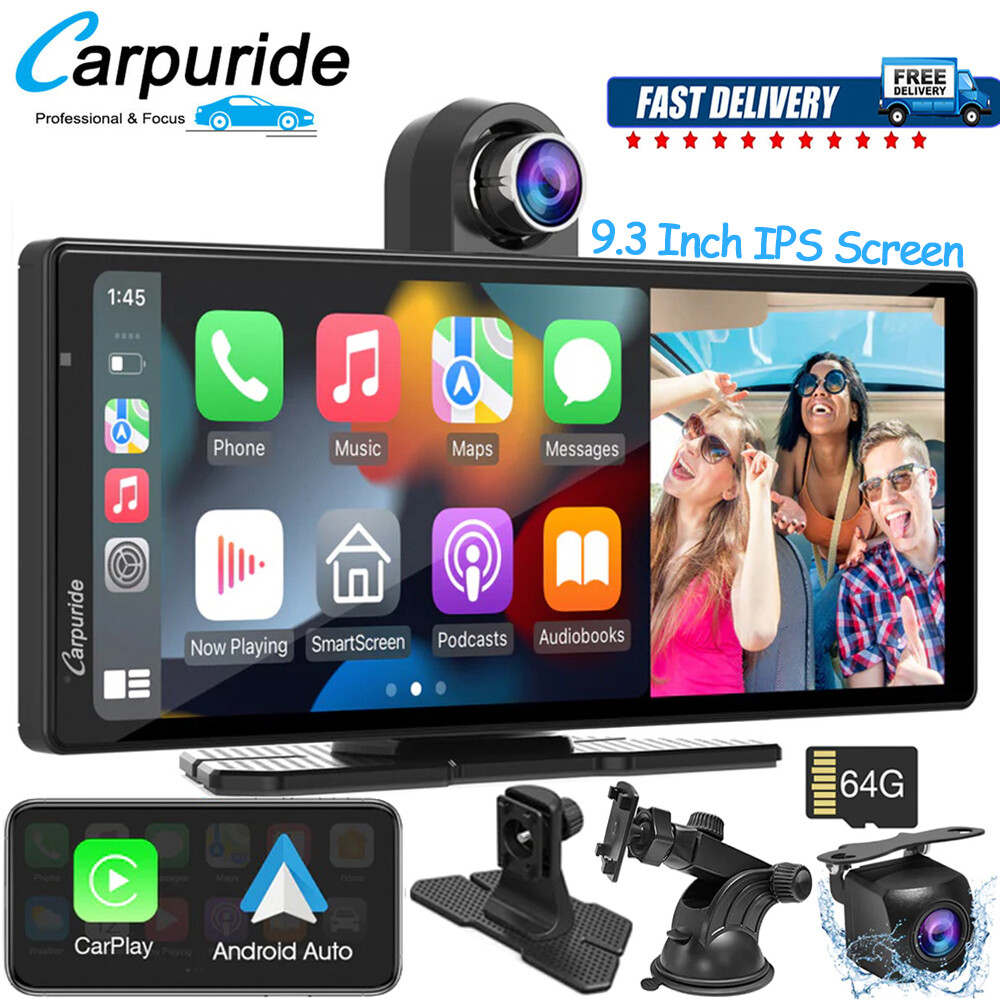
- Best fit for older cars without screens: a portable 9-10 inch CarPlay/Android Auto display with included backup camera, wired to 12V socket. Skip if your car already has factory CarPlay or a 7-inch+ screen.
- Best fit for rideshare/delivery: dual-channel dash cam (front + interior) with IR for night cabin view and GPS logging. Skip single-channel units if you need passenger or cargo area coverage.
- Wrong fit: buying a CarPlay screen unit solely as a dash cam—most have low-resolution front cameras (720p) and no parking-mode buffer; buy a dedicated dash cam instead.
Buying tips
- For dash cams, choose 1440p/2K with f/1.8 or lower aperture over 4K with f/2.0+; night plate reading depends on aperture and sensor size, not resolution alone.
- For CarPlay displays, confirm wireless CarPlay requires 5GHz Wi-Fi and Bluetooth 5.0; older 2.4GHz-only units drop connection in traffic.
- Check dash cam power: capacitor-based units handle 70°C+ dash temperatures; battery-based units swell and fail in hot climates.
- For reversing cameras, match camera voltage (12V) and video signal (CVBS or AHD) to your display; AHD 720p needs an AHD-compatible head unit.
Specs
| Camera Type | Dash cam / CarPlay display / Backup cam |
|---|---|
| Resolution | 1080p / 1440p / 4K (dash); 720p (CarPlay front) |
| Aperture | f/1.6-f/2.0 (night); f/2.2+ (day only) |
| Power Source | 12V socket / hardwire / capacitor |
Related searches
What to check before buying
- Measure windshield or dashboard space: portable CarPlay screens need 9-10 inch clearance and a flat dash; dash cams need 3-4 inches behind the mirror.
- Confirm 12V socket availability and whether you need a hardwire kit for parking mode (requires fuse box access).
- Check your phone: wireless CarPlay requires iPhone 8+ with iOS 14+; Android Auto wireless requires Android 11+ and 5GHz Wi-Fi.
- For rear cameras, verify mounting location has 12V power (tap reverse light) and a route for the video cable to the front display.
FAQ
Data sources: eBay / Amazon listings and product attribute feeds Data updated Nov 16, 2026.
Some links on this page are affiliate links. If you buy after clicking one, we may earn a commission at no extra cost to you. This does not change which products appear here or their order. Affiliate disclosure.