Photos from current listings. Actual item, color, and included accessories may vary.
360 Camera Buying Guide
A 360 camera for cars is a multi-camera surround-view system that stitches four wide-angle feeds into a bird's-eye parking and low-speed maneuver view, not a single rotating lens. The core trade-off is camera sensor quality plus a dedicated 3D calibration/stitching processor versus cheap analog kits that merely split a screen without true geometric alignment. Buy a kit with AHD 1080p sensors, four matched lenses, and a defined calibration method; skip kits that advertise '360' but supply only two cameras or composite-video 720p hardware.


At a glance
- Category
- Car Electronics
- Data updated
- Nov 16, 2026
Current offers
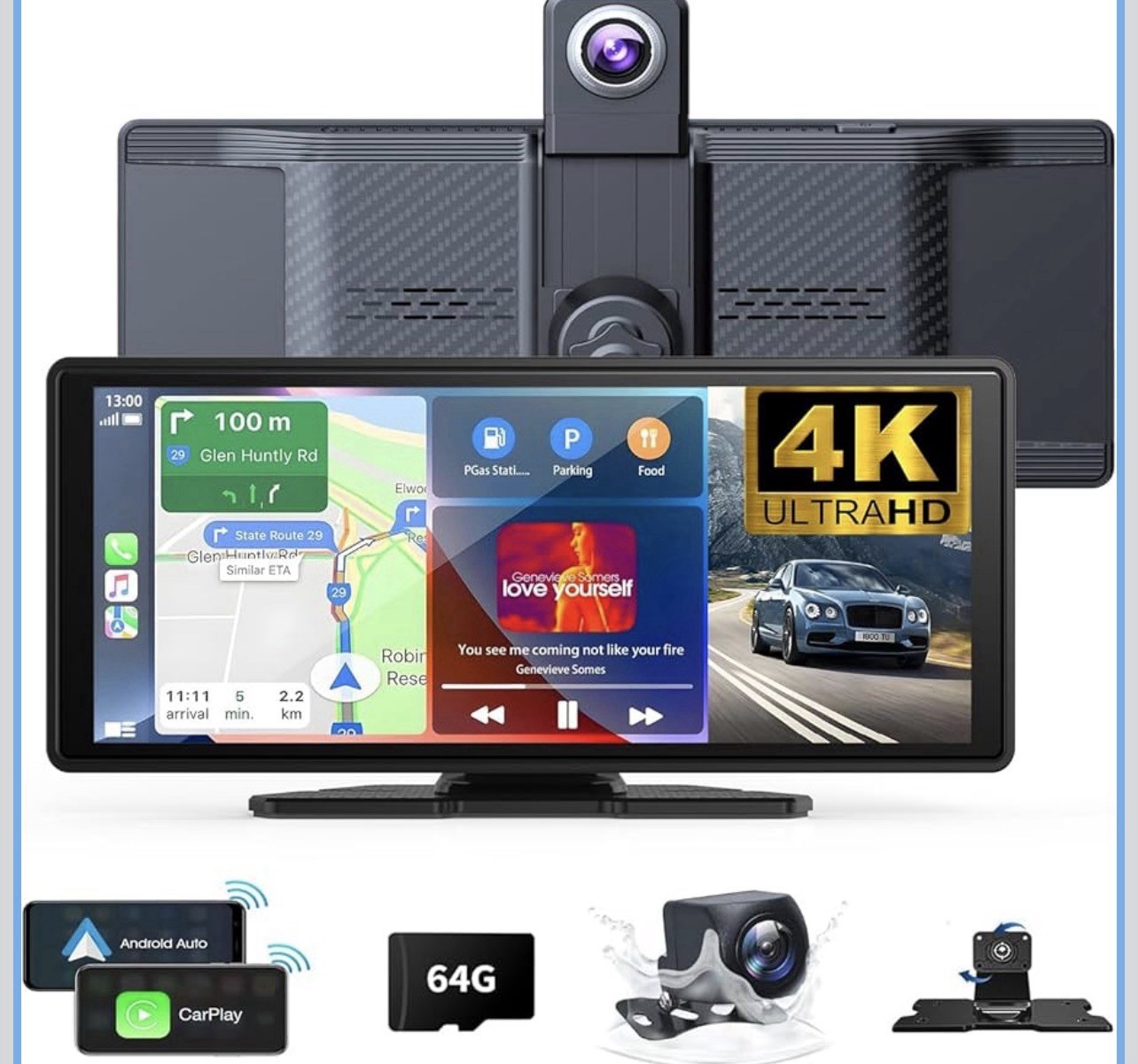 Wireless Carplay Screen for Car 10.26" 4K 360 Rotation Dash Cam Carplay&Android$39.99
 View on eBay
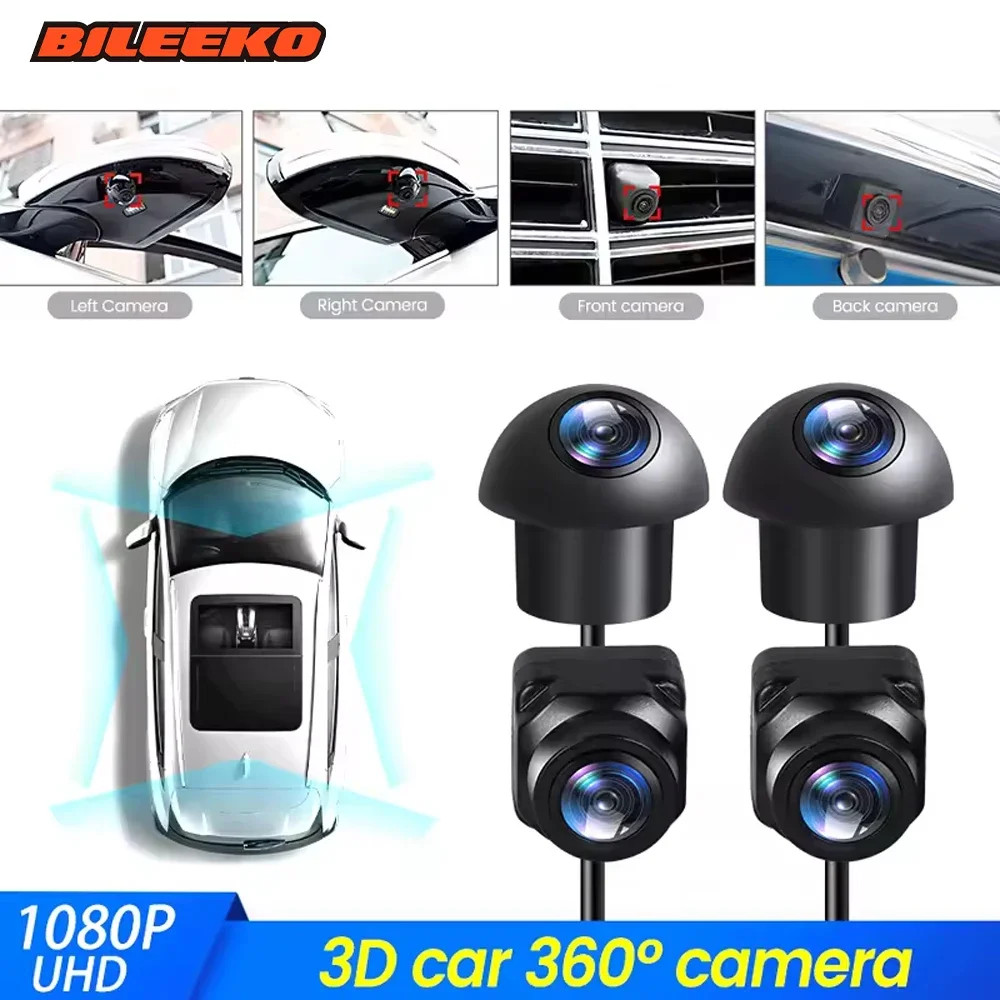 360° Car Camera Panoramic Surround View AHD 1080P Right+Left+Front+Rear 4-Camera$57.18View on eBay
 360°Surround Bird View Car Camera Panoramic 4-way for Android Player AHD1080P HD$57.18View on eBay
 360° Panoramic Camera Surround Night Vision For Android Car Reversing Dash Cam$61.38View on eBay
- Panoramic View Car Camera 360° Panoramic AHD1080P/720P HD Android Player$61.38View on eBay
- Panoramic View 4-Way Parking Reverse Camera For 360° Car GPS Stereo Radio Player$61.38View on eBay
Highlights
- True 360 surround view requires four cameras (front, rear, left, right) with AHD 1080p or higher sensors and a stitching ECU; two-camera kits are rear-view plus front only and cannot produce a bird's-eye view.
- Stitching quality depends on factory calibration and lens overlap: matched 180-degree lenses with defined overlap (typically 20-30%) and a supplied calibration grid produce seamless output; mismatched lenses create visible seams and distortion.
- AHD (Analog High Definition) 1080p over coax is the current standard for aftermarket 360 kits; it carries 1080p at low latency and longer cable runs than composite CVBS, which is limited to 720p/480p and softens detail.
- Head units and Android players must expose a 360-view input (AHD/CVBS video-in) and enough processing for real-time stitch; a plain Android stereo without a dedicated 360 app or hardware decoder will show split screens, not a stitched bird's-eye.
Best use cases
- Best fit: drivers of wide-body pickups, SUVs, and vans who park in tight urban garages or parallel park daily—choose a four-camera AHD 1080p kit with a dedicated stitching ECU and pre-supplied calibration grid.
- Best fit: owners of an existing Android head unit with an unused AHD/CVBS video input—pick a kit documented to work with that player's 360 app and video standard; the head unit's decoder does the stitching.
- Wrong fit: shoppers wanting a dashcam for recording accidents—a 360 surround kit is a low-speed parking aid, not a high-resolution event recorder; choose a dedicated 2K/4K dashcam instead.
- Wrong fit: cars with factory infotainment that cannot accept an aftermarket video input—a 360 kit needs a display and video-in path; without one, budget for a compatible aftermarket screen.
Buying tips
- Count cameras before buying: a genuine 360 kit ships four cameras plus a control box; a single reversing camera or two-camera front/rear kit is not a surround-view system.
- Match the video standard to your display: AHD 1080p requires an AHD-capable input; CVBS-only head units will not show AHD cameras without a converter and will cap at 720p-class detail.
- Check cable length against vehicle size: compact cars need roughly 4-5 m per camera run, while long-wheelbase SUVs and vans need 6-8 m; short cables force mid-body splices that degrade AHD signal.
- Prefer kits that include a calibration grid or defined calibration procedure; without geometric calibration, four cameras produce a distorted, seam-heavy composite rather than a usable bird's-eye view.
Specs
| Camera Count | 4 cameras (front/rear/left/right) |
|---|---|
| Video Standard | AHD 1080p vs CVBS 720p |
| Stitching | Dedicated ECU + calibration grid |
| Input Compatibility | AHD/CVBS video-in on display |
Related searches
What to check before buying
- Confirm your head unit or display has a free video input and supports the kit's standard (AHD 1080p or CVBS), plus a 360/panoramic app or dedicated control box.
- Measure vehicle length and width to verify each camera cable reaches its corner without splicing; note hatch, tailgate, and mirror mounting surfaces.
- Check the kit's camera housings are rated for exterior mounting (IP67/IP68) and that mirror-mounted side cameras fit your mirror geometry.
- Plan 12V power and ground: the control box needs a fused 12V accessory feed and a reverse-trigger wire; confirm your vehicle's voltage is 12V, not 24V truck electrical.
FAQ
Data sources: eBay / Amazon listings and product attribute feeds Data updated Nov 16, 2026.
Some links on this page are affiliate links. If you buy after clicking one, we may earn a commission at no extra cost to you. This does not change which products appear here or their order. Affiliate disclosure.