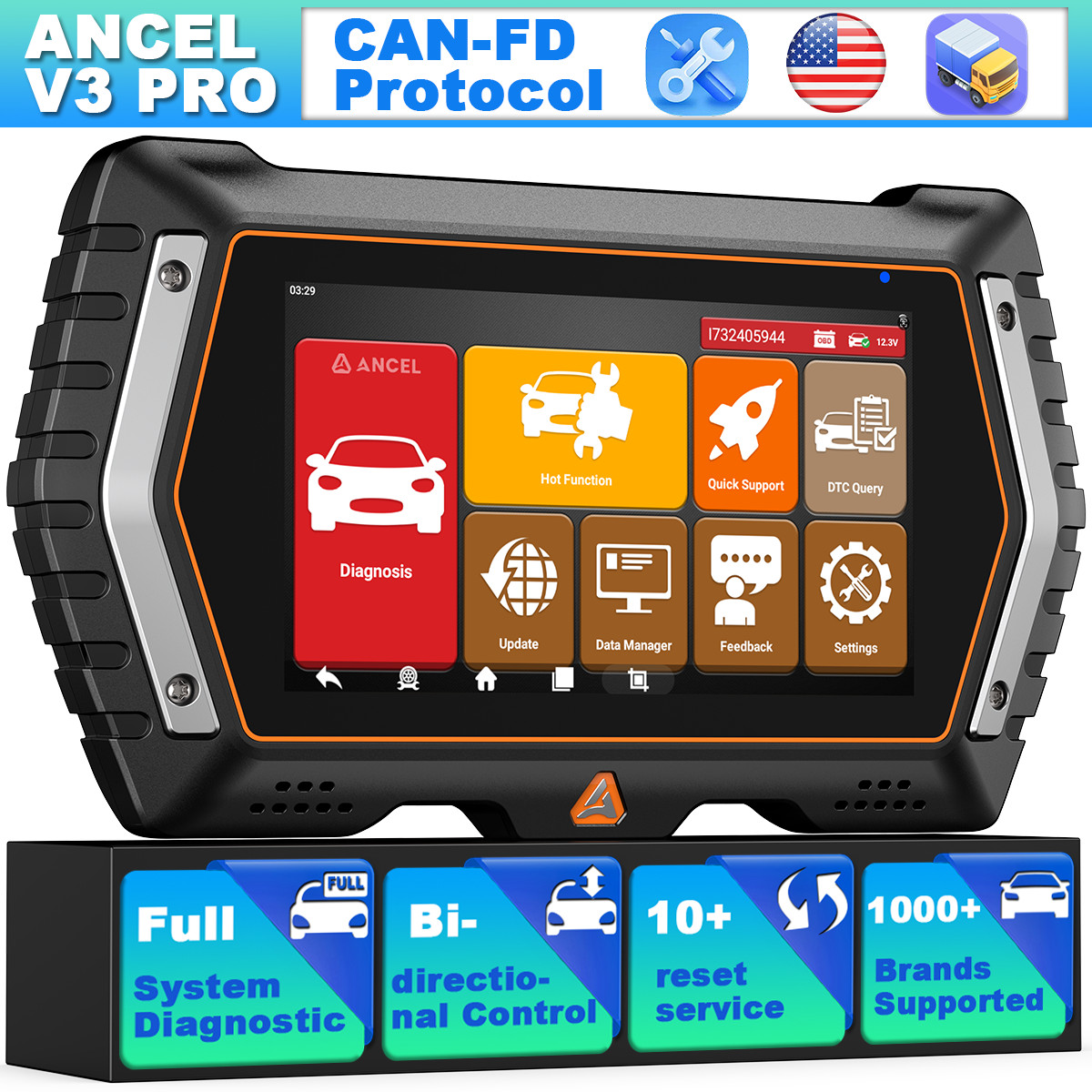

Photos from current listings. Actual item, color, and included accessories may vary.
Ancel V3 Buying Guide
The Ancel V3 Pro is a full-system, bidirectional OBD2 diagnostic scanner built for enthusiasts and independent shops who need module-level access beyond basic engine codes. The core trade-off is between its broad ECU coverage and the lack of factory-level programming or high-voltage EV support found in costlier pro tools. Buy it if you need bidirectional actuation and all-module scanning on mainstream gas/diesel vehicles; skip it for J2534 reflashing or heavy-duty truck protocols.


At a glance
- Brand
- Not synced yet
- Model
- Not synced yet
- MPN
- Not synced yet
- Category
- Automotive Diagnostic Tools
- Status
- Offers available
- Data updated
- Nov 15, 2026
Current offers

Highlights
- Full-system coverage reads and clears codes across engine, transmission, ABS, SRS, HVAC, and body modules, not just powertrain P-codes.
- Bidirectional control enables active tests like fuel pump priming, window calibration, and DPF regeneration commands on supported modules.
- OBD2 protocol support spans CAN, ISO9141, KWP2000, and J1850 for model-year coverage from roughly 1996 to current in OBD2 markets.
- Android-based touchscreen tablet form factor with wireless Wi-Fi updates replaces PC-tethered handheld scanners for in-bay use.
Best use cases
- Best fit: diagnosing check-engine, ABS, and airbag lights across multiple modules on a family fleet of 2008+ gas vehicles—pick the V3 Pro for bidirectional tests.
- Best fit: DPF soot-load reading and forced regeneration on supported diesel passenger cars and light trucks where the menu exposes the routine.
- Wrong fit: ECU programming, coding, or J2534 passthru reflashing—skip the V3 Pro and choose a dedicated J2534 device with OEM software subscriptions.
- Wrong fit: Class 4-8 heavy trucks requiring J1939/J1708—skip this and select a diesel-specific scanner with heavy-duty protocol stacks.
Buying tips
- Confirm your vehicle is OBD2-compliant (1996+ US gas, 2004+ EU diesel) before buying; pre-OBD1 or proprietary connectors need a different tool.
- Check that the specific bidirectional routine you need (e.g., ABS bleed, DPF regen) is listed for your model year—full-system coverage does not guarantee every actuation test.
- Prefer the Pro tier over base V3 if you need bidirectional actuation and all-module scans; base models often limit to powertrain and live data.
- Verify the tablet has Wi-Fi for firmware and vehicle-coverage updates, since new model-year support arrives via software rather than hardware swaps.
Specs
| System Coverage | Full-system: ECM/TCM/ABS/SRS/body |
|---|---|
| Bidirectional Control | Active tests on supported modules |
| OBD2 Protocols | CAN, ISO9141, KWP2000, J1850 |
| Form Factor | Android tablet, Wi-Fi updates |
Alternatives to compare


What to check before buying
- Confirm your vehicle's OBD2 port is under the dash within reach of the included cable and that the 16-pin connector matches SAE J1962.
- Check you have a stable 2.4 GHz Wi-Fi signal in the garage for updates before first use on a new model year.
- Verify 12V vehicle system voltage—this scanner is for 12V passenger platforms, not 24V heavy-duty electrical systems.
- Ensure you have the vehicle's VIN handy for any model-specific menu selection or coverage lookup in the tool.
FAQ
Data sources: eBay / Amazon listings and product attribute feeds Data updated Nov 15, 2026.
Some links on this page are affiliate links. If you buy after clicking one, we may earn a commission at no extra cost to you. This does not change which products appear here or their order. Affiliate disclosure.