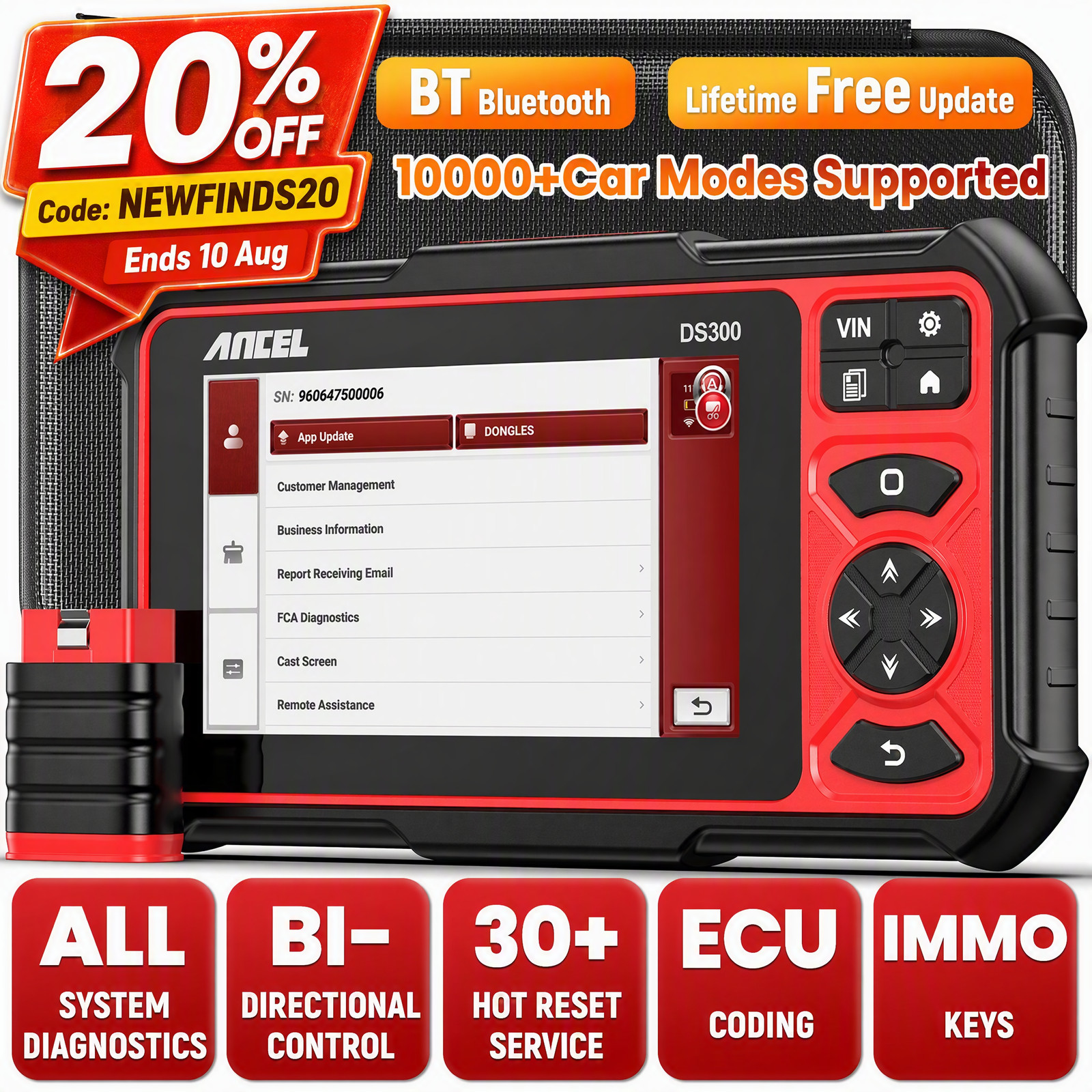
Choosing an automotive diagnostic tool isn't just about finding a scanner that reads check-engine lights. You also have to think about how much you want to do on your own: clearing codes, running service resets, controlling components during tests, or even working with module coding. Some drivers only need to pull a code and look up what it means. Others want to interact with the car, run resets, and test each component. The ThinkCar OBD2 Scanner and the ANCEL DS300 split those jobs neatly: one is a lightweight phone-connected reader, the other is a full tablet-style diagnostic station. Here's how to choose between them.
Quick verdict
The ThinkCar is the simpler, lower-cost choice for drivers who want a code reader that works with the iOS or Android phone they already own. The ANCEL DS300 is the more capable tool for technicians and serious enthusiasts, adding bidirectional control and ECU coding that go far beyond basic code reading.
Comparison table
| Product | Price | Key Strength |
| ThinkCar OBD2 Scanner | $164.90 | Phone-connected all-system code reader |
| ANCEL DS300 | $329.99 | Standalone scanner with active test |
Where each product wins
- ThinkCar wins on portability and everyday simplicity. The compact body with an ergonomic grip and built-in battery slides into a glovebox, and its Bluetooth link lets you operate with a familiar phone interface. It handles all-system scanning for ABS, SRS, ECM, and other modules, and its multi-language interface makes it approachable for non-native English speakers.
- ANCEL DS300 wins on capability. You get bidirectional testing to command actuators and relays, plus ECU coding for module-level work. The 7-inch HD display makes live data easier to read while you're leaning over an engine bay, and the included case keeps the scanner and cables together.
Product notes
ThinkCar OBD2 Scanner
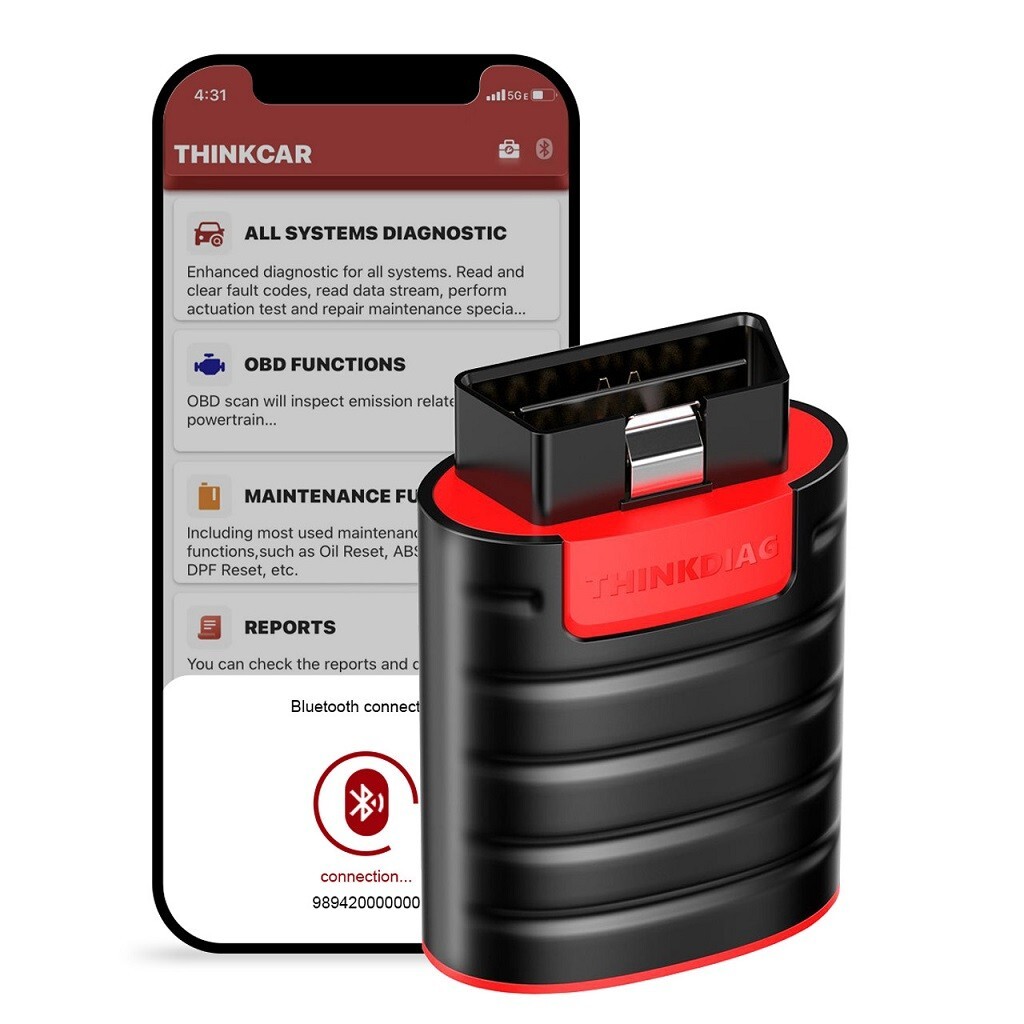
The ThinkCar takes a phone-first approach. After pairing over Bluetooth with iOS or Android, you get a code reader that can access ABS, SRS, and ECM systems. The built-in battery and ergonomic grip make it easy to hold in tight spaces, and the backlit display on the tool helps in low light. It also offers 15 maintenance functions for common service resets, plus an internet-updateable design so the scanner can keep up with newer vehicle protocols. Because the full interface lives on your phone, you won't need to learn a second touchscreen. The trade-off is that you need to keep your phone handy and charged while you work. If you want a no-fuss diagnostic companion that doesn't take up bench space, this is a clean fit.
ANCEL DS300
The ANCEL DS300 is built for users who want a dedicated diagnostic tablet. The 7-inch HD screen is easier to read than a phone while you work, and the Android 10.0 interface with a 4-core processor keeps menus responsive. Both Bluetooth and WiFi are on board, and the tool supports 20 languages. It ships with a carrying case, USB cable, adapter cable, and user guide, so you can keep everything organized. If you work on FCA vehicles, the AutoAuth feature requires a separate account and cable that are not in the box, so plan for that extra setup. This scanner is for someone who spends serious time under the hood and wants a tool that can grow with them.
Final choice by use case
Pick the ThinkCar if you want a compact scanner for personal cars, occasional code reads, and routine reset jobs. It uses the screen you already carry, so there's less equipment to keep track of. Pick the ANCEL DS300 if you expect to spend longer sessions diagnosing multiple systems and want a dedicated display in front of you. The standalone design pays off when you're working through a tricky problem.